A Guide to Practical AI Integration
AI For Businesses
A guide to practical AI integration for UK SMEs - cut admin, improve workflows and deploy AI where it saves time without adding more software.
Most businesses do not have an AI problem. They have an operations problem with AI sitting somewhere in the middle of it.
That is why any guide to practical AI integration needs to start with the work itself, not the tools. If your team is already buried in admin, chasing information across five systems, and repeating the same tasks every week, adding another app will not fix much. Good AI integration reduces friction in the way the business runs. Bad AI integration adds another log-in, another experiment, and another project nobody owns.
For small and mid-sized UK businesses, the goal is not to be seen using AI. The goal is to save time, improve consistency, and get more done without creating more software waste. That takes a bit of restraint. It also takes a clear view of where AI helps, where it does not, and what needs proper process design before automation goes anywhere near it.
What practical AI integration actually means
Practical AI integration means putting AI into day-to-day operations in a way that your business can keep using next month, not just this week. It is less about novelty and more about fit.
In practice, that could mean using AI to draft first-pass client updates from project notes, sort inbound enquiries before a human reviews them, summarise meetings into actions, or pull information from documents into a structured format. None of that is flashy. All of it can be valuable when the volume is high enough and the process is clear enough.
The key point is that AI should sit inside an existing workflow or support a better version of one. If the underlying process is messy, unclear, or constantly changing, AI tends to amplify the mess. That is why businesses often get disappointing results after buying tools too early. The software is not always the problem. The workflow is.
A guide to practical AI integration starts with workflow reality
Before you look at platforms, prompt libraries, or custom builds, look at where your team loses time. Not in theory. In the actual week.
You are looking for work that is repetitive, rules-based, text-heavy, and frequent enough to matter. Admin is an obvious place to start, but it is not the only one. Sales follow-up, customer service triage, internal reporting, proposal drafting, document handling, and project coordination often contain good AI opportunities.
Just as important, you need to spot the tasks that should stay human-led. Anything involving sensitive judgement, legal risk, nuanced client communication, or edge cases with weak source data needs tighter control. AI can still support these areas, but support is different from delegation.
This is where many firms waste months. They ask, "What can AI do for us?" when the better question is, "Which operational bottlenecks cost us time every single week?" Start there and the use cases become much clearer.
Where AI usually works well in SMEs
The strongest use cases are usually the boring ones. That is not a criticism. Boring work is expensive when it happens every day.
AI tends to work well when it can help with drafting, summarising, categorising, extracting, routing, and preparing information for a human decision. Think of it as a capable assistant for structured knowledge work. It is often useful in operations, client delivery, sales support, and management reporting because those areas are full of repeated language and repeated decisions.
A service business might use AI to turn call notes into CRM updates and next steps. An agency might use it to prepare content briefs from client questionnaires. A consultancy might use it to summarise long meetings into action lists and status updates. A small finance team might use it to extract key fields from supplier documents before checking them. These are not moonshot projects. They are sensible operational improvements.
The trade-off is that the highest-value use case is not always the easiest one to implement. Some tasks touch several systems, contain messy data, or require approvals. In those cases, the right answer may be to fix the process first, then add AI once the handoffs are cleaner.
How to assess whether a process is ready
A process is usually ready for AI integration when four things are true. It happens often, the steps are broadly consistent, the inputs are available in a usable format, and someone is prepared to own the result.
Ownership matters more than people expect. If nobody is responsible for checking outputs, updating prompts, refining the workflow, and deciding what good looks like, the system will drift. That is one reason one-off AI experiments fade out. They produce a quick win, but no operating rhythm.
You also need to ask what happens when the model gets something wrong. If the answer is "nothing serious", that is often a good starting point. If the answer is "we could send the wrong advice to a client" or "we could create a compliance issue", you need stronger controls, tighter review, or a different use case.
Choosing tools without bloating your stack
Most businesses do not need ten new AI products. They need fewer tools doing more useful work.
A practical approach is to start with the systems your team already uses and identify where AI can be added with the least disruption. That might be inside your existing workspace, CRM, helpdesk, database, or document setup. In many cases, a well-designed workflow using current accounts will outperform a shiny standalone tool that nobody remembers to open.
This matters for cost as much as adoption. Tool sprawl is one of the fastest ways to make AI feel expensive and chaotic. Every extra platform brings licence fees, setup time, training needs, and another place for data to sit. Sometimes a specialist product is the right choice, especially for document-heavy processes or bespoke automations. But it should earn its place.
A good rule is simple: if a new tool does not remove enough manual work, software overlap, or delivery delay to justify itself, do not add it.
Building in phases beats trying to automate everything
The most effective guide to practical AI integration is usually a phased one. Businesses get better results when they start with one or two high-friction workflows, prove value, and then expand.
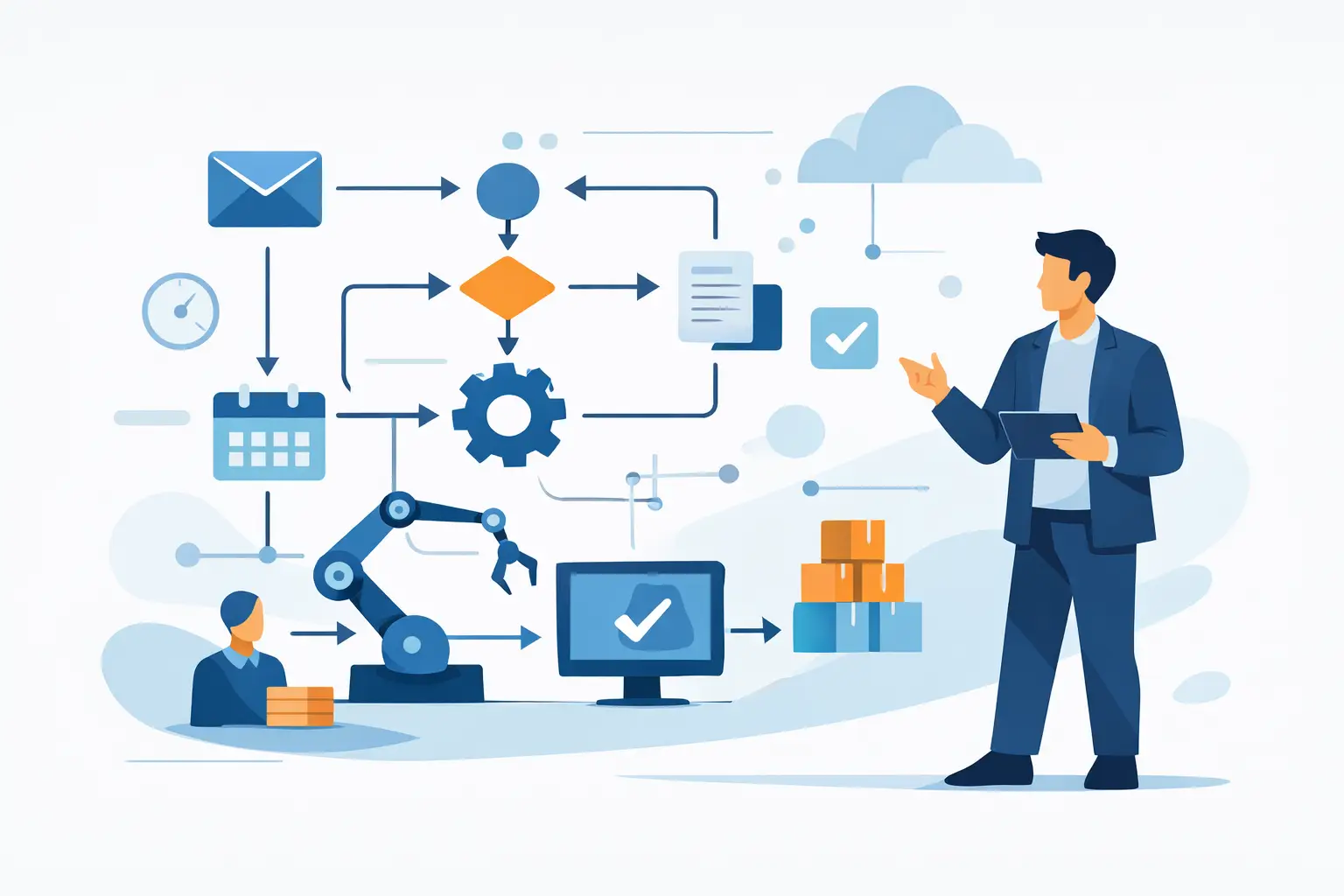
Phase one is about clarity. Map the process, define the handoffs, decide what AI should and should not do, and make sure the inputs are usable. Phase two is about implementation. Build the workflow, test it on real examples, and set review rules. Phase three is about embedding it into normal work so the team actually uses it.
This is less exciting than a big transformation announcement, but far more useful. Teams learn what works in their environment. Managers can see time saved or delays reduced. Decisions improve because they are based on actual operating data rather than vendor claims.
It also helps avoid a common mistake: trying to automate a broken process across the entire business in one go. When that happens, you end up scaling confusion.
Governance, privacy and the part people skip
For UK businesses, practical AI integration also means handling data properly. That includes knowing what information is being processed, where it goes, who can access it, and how outputs are reviewed.
This does not need to become a heavyweight governance exercise on day one. But it does need thought. If your team is pasting sensitive client material into random tools without any policy, that is not innovation. It is risk.
At a minimum, businesses should be clear on approved tools, acceptable data use, human review requirements, and where responsibility sits. Some use cases can move quickly with light controls. Others, especially those involving customer records, financial data, or regulated processes, need a more careful setup.
The sensible position is not fear and it is not blind enthusiasm. It is proportionate control.
What good results actually look like
Good AI integration rarely looks dramatic from the outside. Internally, it feels like fewer delays, less repeated admin, cleaner handovers, and better follow-through.
A manager gets reporting without chasing three people. A founder clears proposal work faster. A team spends less time rewriting the same updates. Projects move because the operational drag is lower.
That is the real benchmark. Not whether a tool can produce impressive output in a demo, but whether the business functions better after implementation.
This is also why support matters after launch. Workflows change. Teams change. Inputs change. What worked neatly in month one may need adjusting by month three. Firms such as AI For Businesses build around that reality because useful AI is not a one-off slide deck. It is an operating system decision.
If you are trying to make sense of AI for your business, start smaller than the hype suggests and closer to the work than the market encourages. Find the repeated tasks, fix the weak process, build something your team will actually use, and keep ownership in-house. That is usually where momentum begins.
Written by
AI For Businesses
The team at AI For Businesses helping UK companies adopt AI in practical, build-focused ways.
Enjoyed this article?
Get more practical AI tips delivered to your inbox weekly.